
Archive Feature
- Lets Get Started!
- Archive You Request
- Navigate Your Archived Requests
- Hide Archived Requests
- Access Archived Requests
- Restore Your Request
This article has been crafted to guide you in utilizing the archive feature available for your SamaCare authorizations. Delve into its insights to discover how you can effectively manage and organize your authorizations using this feature.
Lets Get Started!
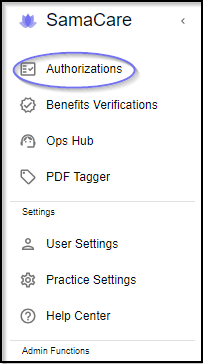
- Navigate to the Authorizations tab on the left navigation pane.
Example View
Archive You Request
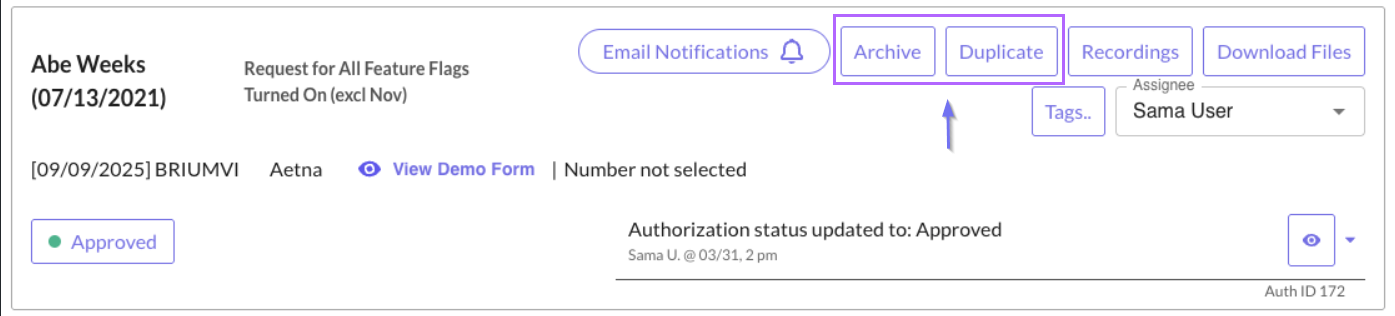
- To archive the prior authorization request of your choice, simply navigate to the request and select the "Archive" option.
Example View

Navigate Your Archived Requests
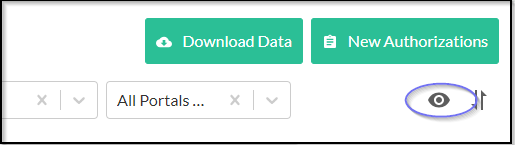
- To access or hide your archived requests, navigate to the eye icon located in the top right corner. This feature enables you to conveniently manage and organize your archived requests as needed.
Example View
Hide Archived Requests
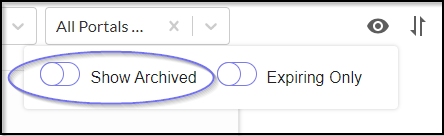
- To hide archived prior authorization requests, simply toggle off the "Show Archived" option.
Example View
Access Archived Requests
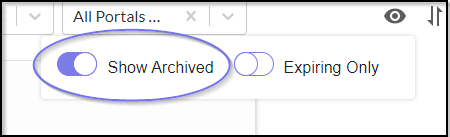
- To access archived prior authorization requests, simply toggle on the "Show Archived" option.
Example View
Restore Your Request
- To restore your prior authorization request from the archive, simply select the "Unarchive" option.
Example View

We're here to guide you through your prior authorization quest!

Was this article helpful?
That’s Great!
Thank you for your feedback
Sorry! We couldn't be helpful
Thank you for your feedback
Feedback sent
We appreciate your effort and will try to fix the article