
Removing an Incorrect Association
Once the article is complete-add table of contents here.
- From the Response Window
- From the History Screen
As you review an authorization, you may discover that the attached document is unrelated to your patient—or that it's the right patient but the incorrect authorization. You have two ways to remove the document and return it to the queue for processing. Follow the steps below for whichever method applies to your situation.
From the Response Window
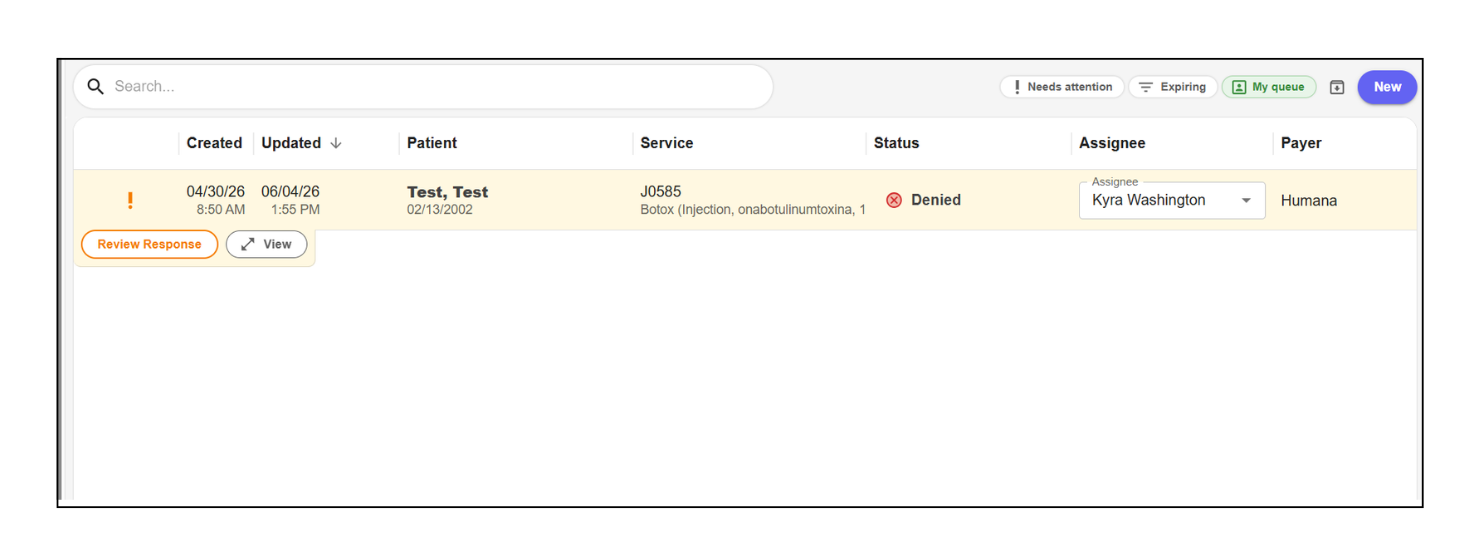
- Locate the authorization you want to review and select Review Response to open it.
Example View
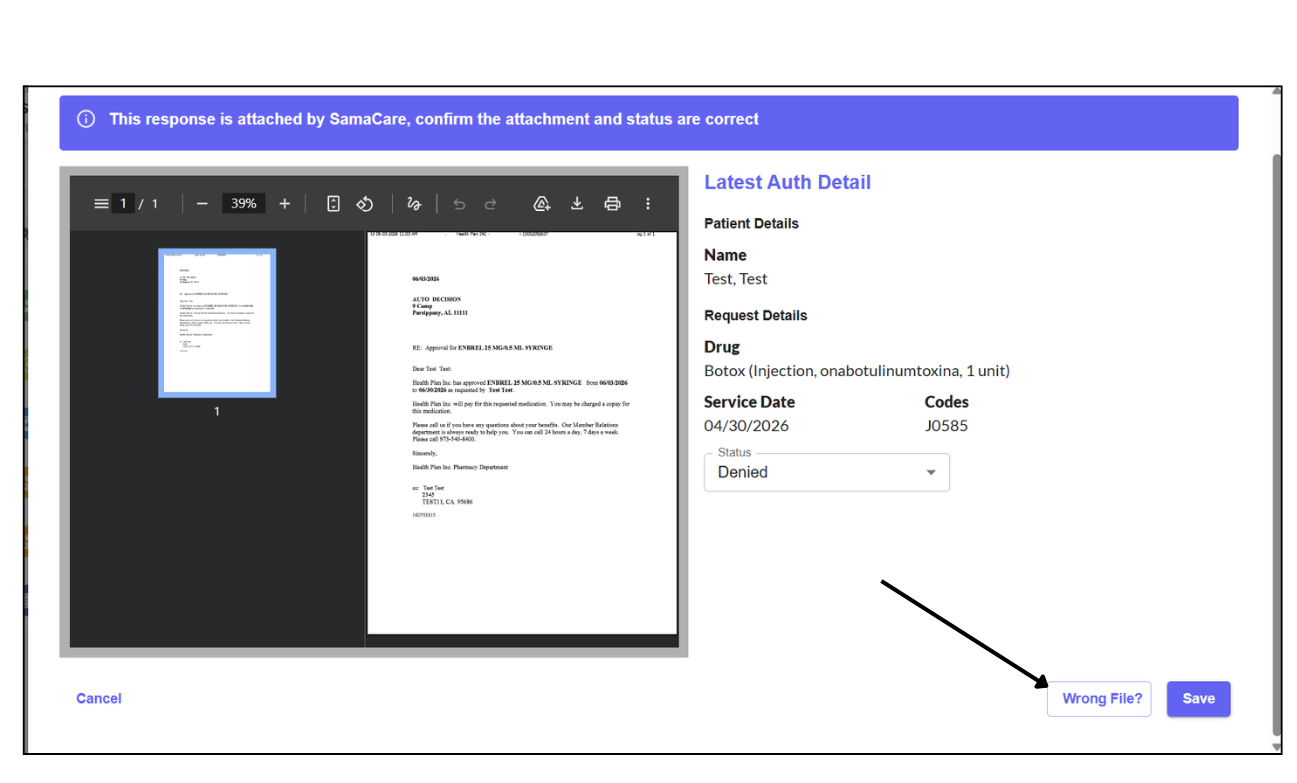
- Once the authorization opens, review the attached document. If the document is unrelated to your patient, you can remove it and return it to the queue for processing. To do so, select Wrong File.
Example View
- Choose the appropriate reason for removal from the provided options and select Confirm. Once complete, the file will be removed and placed back into the fax queue to be attached to the appropriate authorization.
Example View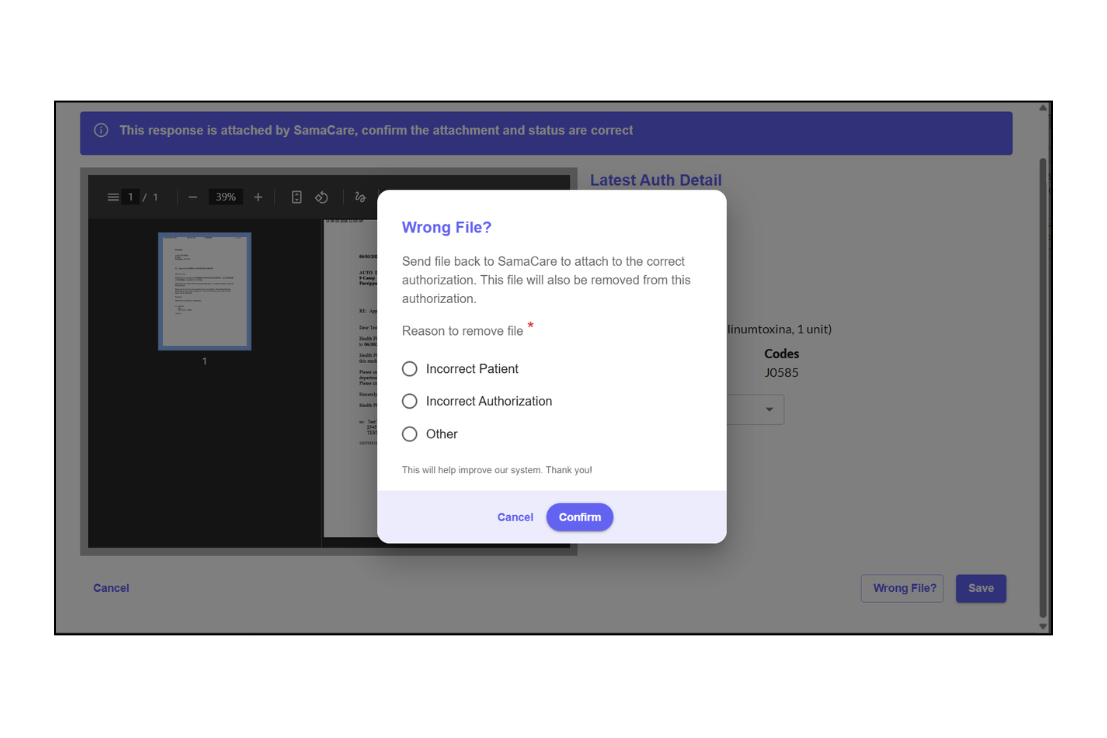
From the History Screen
- Navigate to the Activity screen and locate the authorization with the incorrect association.
Example View
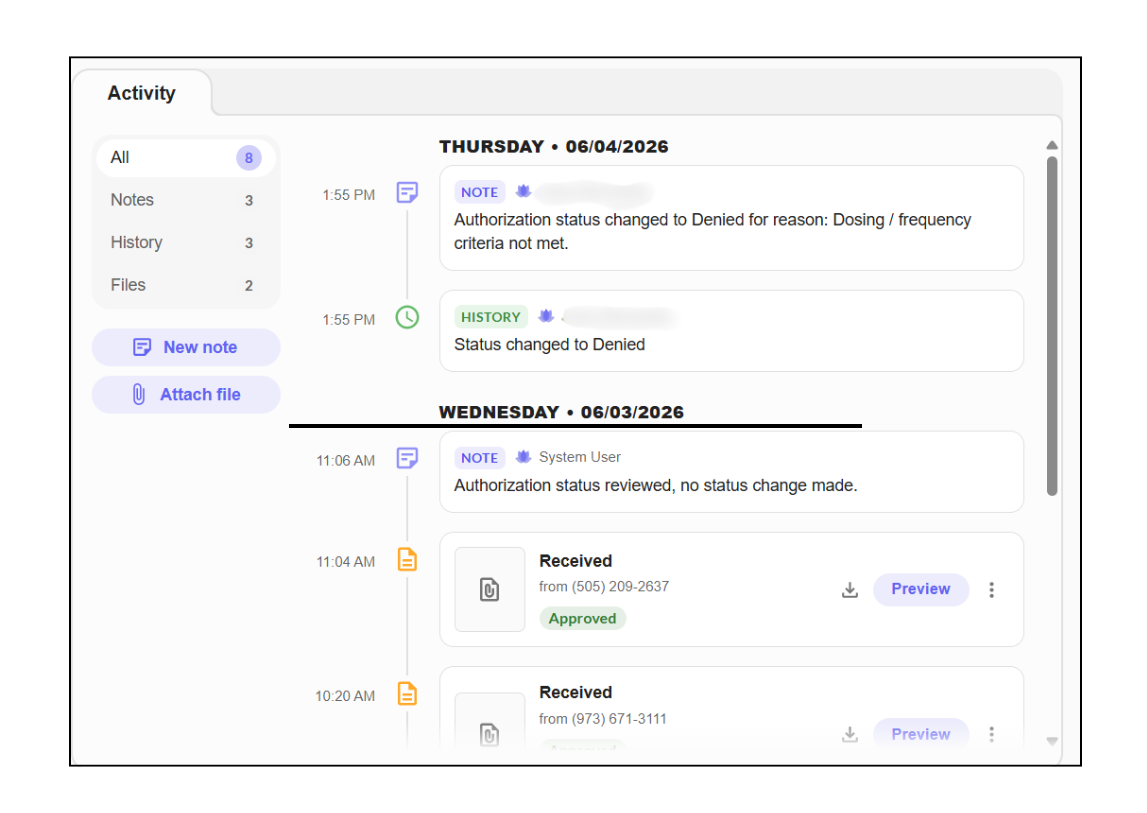
- To the right of the Preview button, select the ellipsis (⋮) (three dots stacked vertically). A menu will appear — select Remove from Authorization.
Example View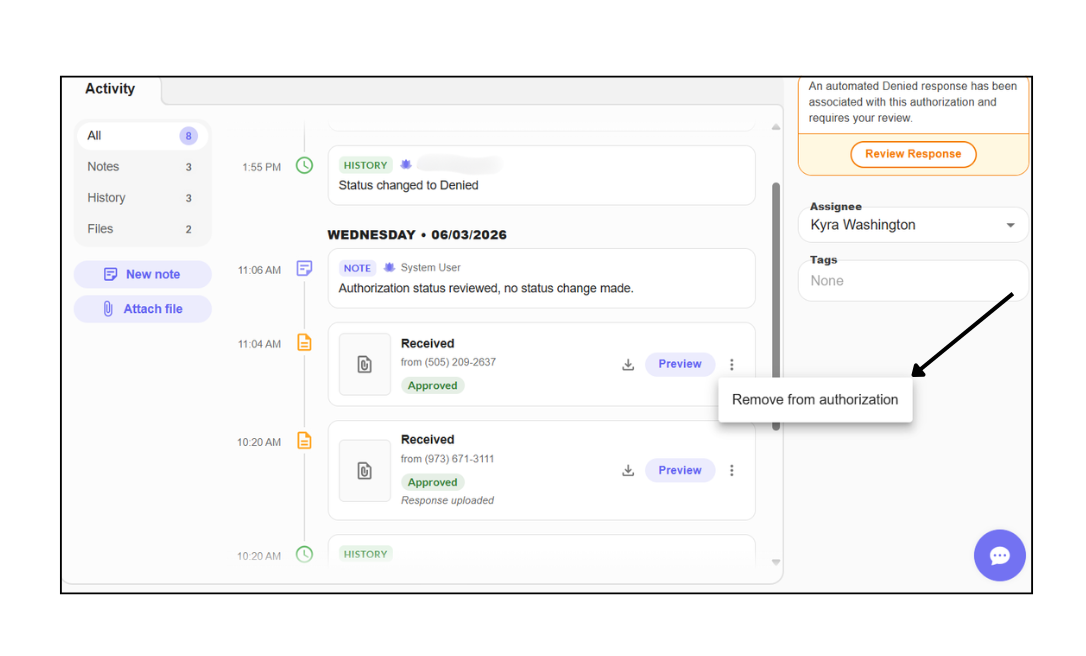
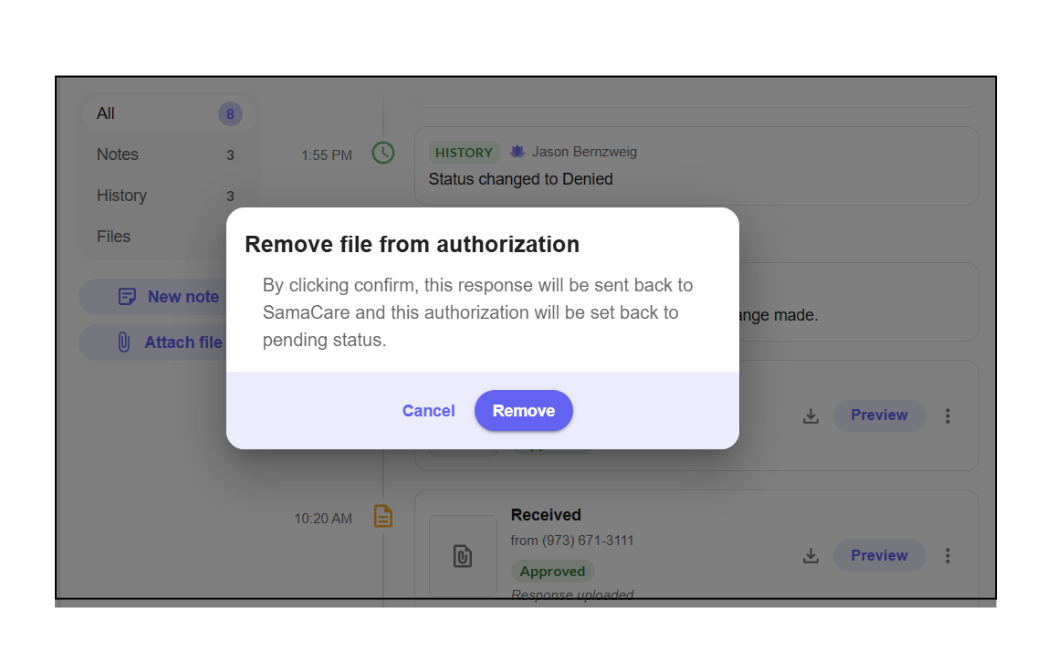
- A confirmation window will appear asking you to confirm the removal of the file. Select Remove to confirm. The file will be successfully removed and returned to the queue for processing..
Example View
We're here to guide you through your prior authorization quest!

Was this article helpful?
That’s Great!
Thank you for your feedback
Sorry! We couldn't be helpful
Thank you for your feedback
Feedback sent
We appreciate your effort and will try to fix the article